


EZ TAG
4.2345.00 Reviews
App Specs
- Version
- 3.3.1175451
- Updated On
- License
- Free
- Downloads
- 100,000+
- Developer
- Harris County Toll Road Authority
- Categories
- Travel & Local
- Platform
- Android, iOS
Screenshots
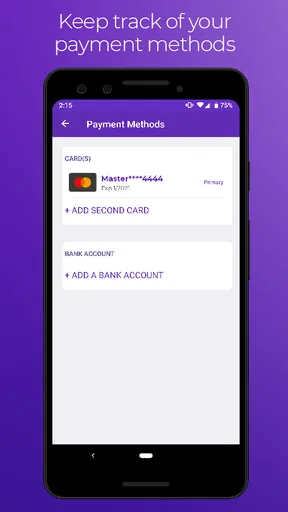
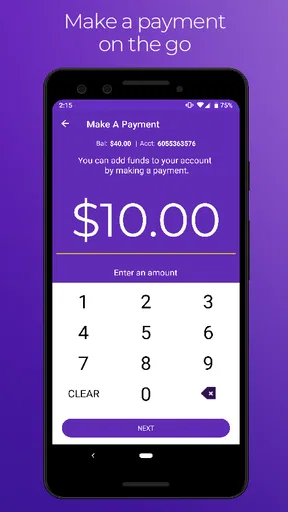
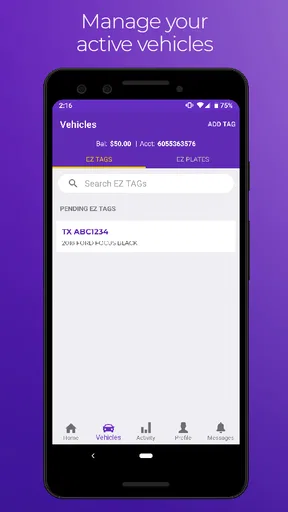
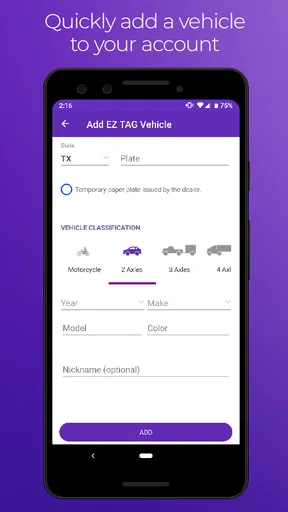
 Analysis by AppCompare
I found EZ TAG useful in a very specific way: it puts the Harris County Toll Road Authority’s account management in a mobile format instead of making me handle every task through a browser or by phone. It is a free Travel & Local app for people who use Harris County toll roads and already have, or plan to manage, an EZ TAG account. That focus matters. This is not a route planner, a general toll calculator, or a travel companion for every road system. Its value comes from keeping toll-account tasks close at hand when I am away from a computer.
The app is developed by Harris County Toll Road Authority, and its purpose is clear from the first interaction: account management rather than entertainment or broad trip planning. I would recommend it to a friend who regularly drives in the Houston area and wants a direct way to stay connected to an EZ TAG account. I would not recommend installing it just because it appears in a general travel search, since someone who never uses Harris County toll roads is unlikely to get much from it.
How EZ TAG fits into everyday toll-road management
My first impression is that the app makes most sense as a practical companion to driving, not as an app I would open every day for casual browsing. Toll accounts are easy to ignore until something needs attention: a payment concern, an account detail that needs checking, or a trip that makes me wonder whether my vehicle and tag information are still in order. Having a dedicated mobile entry point can reduce that friction.
A realistic example is a weekday drive across the Houston area. I am preparing to leave, notice that I have not checked my toll account recently, and use the app before getting on the road. Instead of waiting until I am at a desktop, I can make account management part of the same short preparation routine as checking traffic or charging my phone. That does not make the drive itself smarter, but it can make the administrative side less easy to forget.
I also see value for households with more than one driver. When account details are handled only through a shared computer, the person who owns the account may become the bottleneck for every small check. A mobile app gives that person a more convenient place to review the account when a question comes up. I would still be careful about sharing access on a family device, but the phone-based format is better suited to quick, real-world moments than a service that assumes I am sitting at a desk.
The app’s narrow purpose is actually one of its strengths. It does not try to combine toll management with hotel booking, maps, public transport, or restaurant discovery. For someone who wants one focused tool for EZ TAG administration, that restraint is welcome. For someone looking for a complete travel application, it will feel limited because it is limited by design.
What the free price means in practical terms
EZ TAG is free to download and use as an app. That makes the decision straightforward for an existing account holder: there is no app purchase to weigh against the convenience of mobile access. The free price does not mean toll travel itself is free, of course. I would separate the cost of using toll roads and maintaining an account from the cost of installing this app. The app removes a software purchase; it does not change the underlying responsibilities associated with toll use.
Worth Reading Before You Choose

EA SPORTS FC Mobile 26 Is a Bigger Football Game, but It Takes Time

Flipboard Shows What News Apps Must Do Beyond the Feed

Switching to Android Auto Means Rethinking Your Driving Routine

Google Calendar Makes a Crowded Week Easier to Manage

Ludo King Makes the Most of the Minutes Between Plans

Baby Panda World Brings Quick Play to Modern Phones, but Its Game Library Feels Busy
That distinction is important when judging value. I would not describe the app as a way to save money automatically. Its value is time, access, and reduced administrative friction. If opening the app helps me notice an account issue earlier or handle a task without finding a computer, that can be worthwhile even though the app does not eliminate toll charges. The strongest benefit is convenience, not a promised financial return.
There is also no reason to pay for a separate general travel app solely to manage this particular account if the official mobile option already covers the task I need. On the other hand, a person who only wants directions or road-condition information may get more practical value from a navigation app. EZ TAG should be judged against the task it handles, not against every kind of travel software.
Where the app is more useful than the usual alternatives
The usual alternative is a web browser. A browser can be perfectly adequate, especially for occasional users who prefer a larger screen or who already have the account page saved. The dedicated app’s advantage is that it gives the task a permanent place on my phone. I do not have to remember which page to open or search for the correct account portal each time. That small reduction in steps is the kind of benefit I notice more after several months than during a first launch.
Another alternative is contacting customer support whenever an account question appears. That approach may be appropriate for complicated problems, but it is inefficient for routine account checks. I would use the app for ordinary management and reserve support for situations that require a person or a more detailed explanation. This division keeps the app in its proper role: a self-service tool, not a replacement for every form of assistance.
The app is also more direct than using a generic finance or travel organizer to keep notes about toll activity. Notes can remind me that I need to check an account, but they cannot serve as the account-management destination itself. EZ TAG is useful because it is tied to the relevant authority rather than asking me to build my own workaround.
That said, a browser may still be preferable when I need to compare several pieces of information at once or when I am already working on a laptop. A phone screen is convenient for quick checks, but it is not automatically better for every detailed task. I would treat the app as the fast-access option and the browser as a reasonable companion when a larger workspace feels more comfortable.
Small workflow choices that make it more practical
One useful habit is to open the app before a longer period of toll-road driving rather than waiting until a problem becomes urgent. I would make that part of a pre-trip checklist, alongside checking the vehicle and confirming the route. The point is not to stare at the account repeatedly; it is to create a predictable moment for catching administrative issues while there is still time to deal with them.
A second tip is to use the app for account questions while keeping navigation separate. Combining both jobs mentally can make a toll-management tool seem disappointing when it was never intended to guide the trip. I would check EZ TAG before leaving, then use the navigation tool that best suits the drive. This division makes each app easier to evaluate and avoids expecting account software to provide live route guidance.
A third practical insight is to think about device access before handing a phone to another driver. The app may be convenient for a household, but account management is still personal and should be treated with the same care as other financial or transportation accounts. I would avoid leaving an account open on a shared device and would make sure the account holder remains in control of changes. Convenience is helpful only when it does not create confusion about who is managing the account.
I would also use the app as a first check when I am unsure whether a toll-related concern is an account issue or a road-trip issue. If the question is about my EZ TAG account, the official app is the logical starting point. If the question is about traffic, directions, or an unrelated transportation service, I would switch to another tool rather than searching through EZ TAG for an answer it is not meant to provide.
Performance expectations and points of friction
The app has been available since December 9, 2019, and the current version is 3.3.1175451. It supports Android 8.0 and later, which is useful to know before trying to install it on an older phone. I would check the device requirement first if I were keeping an older handset for travel or as a backup. A free app is not much help if the phone cannot run it.
Its public response is generally positive, with an average rating of 4.2 from around 1.2 thousand ratings and more than 100 thousand installs. Those figures suggest that the app has found a real audience, but I would not treat them as a guarantee that every account task will feel perfect on every device. Ratings are a useful signal of broad satisfaction, not a substitute for testing the particular workflow I need.
The existence of hundreds of written reviews also tells me that people are using it as an active service rather than downloading it once and forgetting it. Still, account-management apps can be judged harshly when a user is already worried about a toll or payment matter. In that situation, even a small login or loading delay feels more serious than it would in a casual app. I would keep the browser route available for urgent matters instead of relying on one access method.
The biggest limitation is scope. EZ TAG does not replace a map, a traffic service, or a broader travel planner. It also is not the right tool for someone who drives exclusively outside the Harris County Toll Road Authority’s area. A friend who travels between many regions may prefer a broader toll or navigation solution for trip planning, while still using this app for the relevant EZ TAG account when needed.
Another tradeoff is that mobile convenience can encourage me to handle account tasks in unsuitable moments. I would never try to manage the account while driving. The app belongs in the preparation or parked portion of a trip, not in the driver’s hand on the road. That sounds obvious, but a tool designed for quick access needs a clear boundary between convenience and distraction.
Who will get the most value from it
The best match is a regular Harris County toll-road user who wants official account access on an Android phone. For that person, the free app can become a reliable shortcut for routine management. It is especially sensible for drivers who are often away from a computer, people who travel at irregular hours, and households where the account holder needs to check details while out of the house.
It can also suit occasional users who dislike discovering account problems only after a trip. Occasional drivers may not open the app often, but having it installed creates a simple reminder that the account exists and can be checked before an unusual toll-road journey. The benefit is modest, yet the installation costs nothing, so the convenience threshold is low.
I would be more hesitant to recommend it to someone who wants a single app for all transportation needs. If the main goal is choosing routes, avoiding congestion, finding places, or organizing a vacation, this is too specialized. I would also suggest skipping it if the person does not have an EZ TAG account and has no reason to manage one. Installing an official app is not useful merely because it belongs to the travel category.
iPhone users should look for the appropriate iOS version of the service rather than assuming that an Android installation detail applies to their device. The important decision is whether the official app is available for the phone being used and whether the person actually needs Harris County toll-account access. The service’s usefulness comes from that match, not from the platform alone.
My verdict after weighing convenience against limits
My recommendation is positive for the right driver, not universal. EZ TAG delivers clear value because it is free and focused on a task that is easier to postpone when it lives only in a browser or behind a support call. I like the idea of checking an account as part of a pre-trip routine, and I think regular Harris County toll-road users will understand the benefit quickly.
I would install it if I managed an EZ TAG account and used toll roads often enough to want mobile access. I would keep a browser or support option in reserve for complicated or urgent situations, and I would not expect this app to handle navigation or general travel planning. That is the central tradeoff: its narrow purpose makes it useful for account administration, but it also means the app has little to offer outside that purpose.
The free price makes trying it an easy decision for eligible users, while the Everyone content rating keeps it broadly suitable from an age-classification standpoint. The developer is the Harris County Toll Road Authority, which reinforces the app’s role as an official, focused account-management channel rather than a generic third-party travel utility.
In the end, I see EZ TAG as a practical tool rather than an exciting one, and that is exactly why it works for its audience. It will not improve every part of a journey, but it can make one easily neglected part less awkward. If that is the problem I need solved, I would use it. If I need directions, broad travel planning, or toll support across multiple authorities, I would choose a different primary app and treat EZ TAG as a specialized companion.
Pros
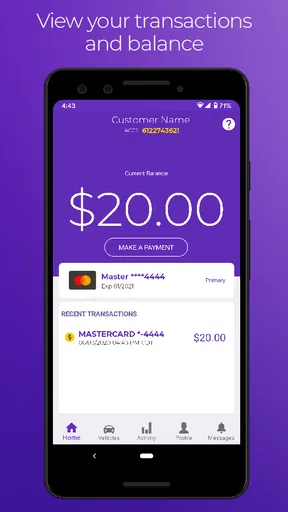
- Quickly check toll account balances and recent transactions.
- Manage multiple vehicles and license plates from one account.
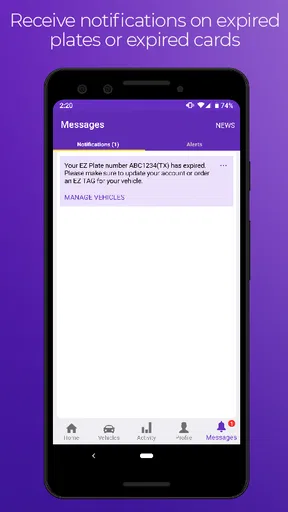
- Receive account alerts to avoid unexpected toll charges.
- Convenient access to customer support and account details.
- Useful for drivers who regularly travel on Texas toll roads.
Cons
- Features may be limited for users outside the EZ TAG service area.
- Some account changes may require additional verification.
- Toll data and payment updates can occasionally be delayed.
- The interface may feel less intuitive for first-time users.
- A stable internet connection is needed for most account functions.
FAQs for EZ TAG
What is EZ TAG, and what can I use it for?
EZ TAG is a mobile service designed to help drivers manage toll-road payments and account information without relying entirely on a physical customer-service location. Depending on the supported toll authority and region, you can typically use it to check your balance, review transactions, manage vehicles, update payment details, and access account-related information. Availability and exact features may vary by location.
Can I use EZ TAG to pay tolls directly from my phone?
EZ TAG generally works as a companion to an electronic toll account rather than replacing the toll system itself. After signing in and linking your account, the app can help you manage payments, account funding, and vehicle details. Whether tolls are charged automatically depends on your enrolled EZ TAG account, transponder, license-plate setup, and the policies of the relevant toll-road operator.
Is EZ TAG free to download, and are there additional fees?
The EZ TAG app is normally available to download at no charge, but downloading the app does not mean that toll services are free. Users may still need to maintain an account balance, pay toll charges, purchase or activate a transponder, or meet account requirements established by the toll authority. Always review the official fee schedule before creating or changing an account.
Is EZ TAG safe for managing my payment and vehicle information?
EZ TAG may handle sensitive details such as account credentials, vehicle information, payment methods, and toll history, so you should download it only from the official Google Play Store or Apple App Store. Use a strong, unique password, keep your device and app updated, and avoid signing in on public or shared devices. Check permissions and account alerts regularly.
What should I do if EZ TAG is not updating my balance or showing a toll transaction?
First, confirm that your phone has a reliable internet connection and that you are signed in to the correct account. Close and reopen the app, install any pending updates, and check whether the toll authority is experiencing a service delay. Transaction and balance information may not appear immediately. If the issue continues, use the official EZ TAG support channels and keep relevant dates, vehicle details, and confirmation numbers available.


